Johnny Solarseed: DIY Energy Independence
We built a cabin by hand, then got a $50K quote to add solar. That did not sit right, so I learned to do it myself - and wrote down everything.
The Problem
A grid-tied solar quote runs $30-50K and still shuts off in an outage unless you add another $10K of battery. Meanwhile Oregon, almost by accident, has the most DIY-friendly solar rules in the country: four legal pathways that stack - a homeowner licensing exemption, a 200W safe harbor, permit-exempt detached structures, and a standalone carve-out that skips utility interconnection entirely. Nobody had put all of it in one place.
What I Built
Johnny Solarseed is the umbrella over my solar work: a free educational site, interactive tools, and two open-source Home Assistant plugins. It’s the complete pathway for Oregon homeowners who want to design and build standalone solar on their own property - legally, safely, and by hand. Not a solar company, no paywalls, no sales pitch. There’s a paid consulting option through Throughline for people who want a second set of eyes, but all the information is free.
Tech Stack
- TypeScript/TSX
- Astro
- MDX
- Python
- CSS
- YAML
- Astro 5 SSR
- React 19 islands
- Cloudflare Workers runtime
- Home Assistant custom integrations (HACS)
- Astro Content Collections
- browser localStorage/IndexedDB
- Home Assistant Store
- YAML/JSON rate and schedule configs
- Cloudflare Pages/Wrangler (site)
- HACS distribution (plugins)
- GitHub Actions with hassfest/HACS validation (Peak Shaver)
- Anthropic Messages API with Claude Sonnet 4 for utility bill and rate-schedule parsing
- Vitest
- pytest/pytest-asyncio
- Home Assistant mocks
- JSON/services.yaml validation
- pdfjs-dist
- DOMPurify
- yaml/PyYAML
- voluptuous
- Home Assistant DataUpdateCoordinator/RestoreEntity
How It Works
Four pieces, one loop.
The site. A structured build curriculum that runs in the order the work actually happens: mindset (insulate before you generate), load math, panels, inverter sizing, string design, battery sizing, safe wiring. Beyond design there are worked examples with real costs, sourcing, installation order, and living with solar. Separately, the Guides section gives specific build recipes with shopping lists and wiring diagrams, and the Oregon section lays out the four stacked pathways with ORS citations and the permit process.
The Rate Calculator. PGE’s Schedule 7 TOU rate isn’t three tiers - it’s three tiers plus regulatory adjustments, BPA credits, wildfire surcharges, Energy Trust funding, fixed fees, and taxes. The published rate and the effective rate are different numbers. The calculator breaks every line item apart to the all-in effective rate and exports YAML for the TOU plugin.
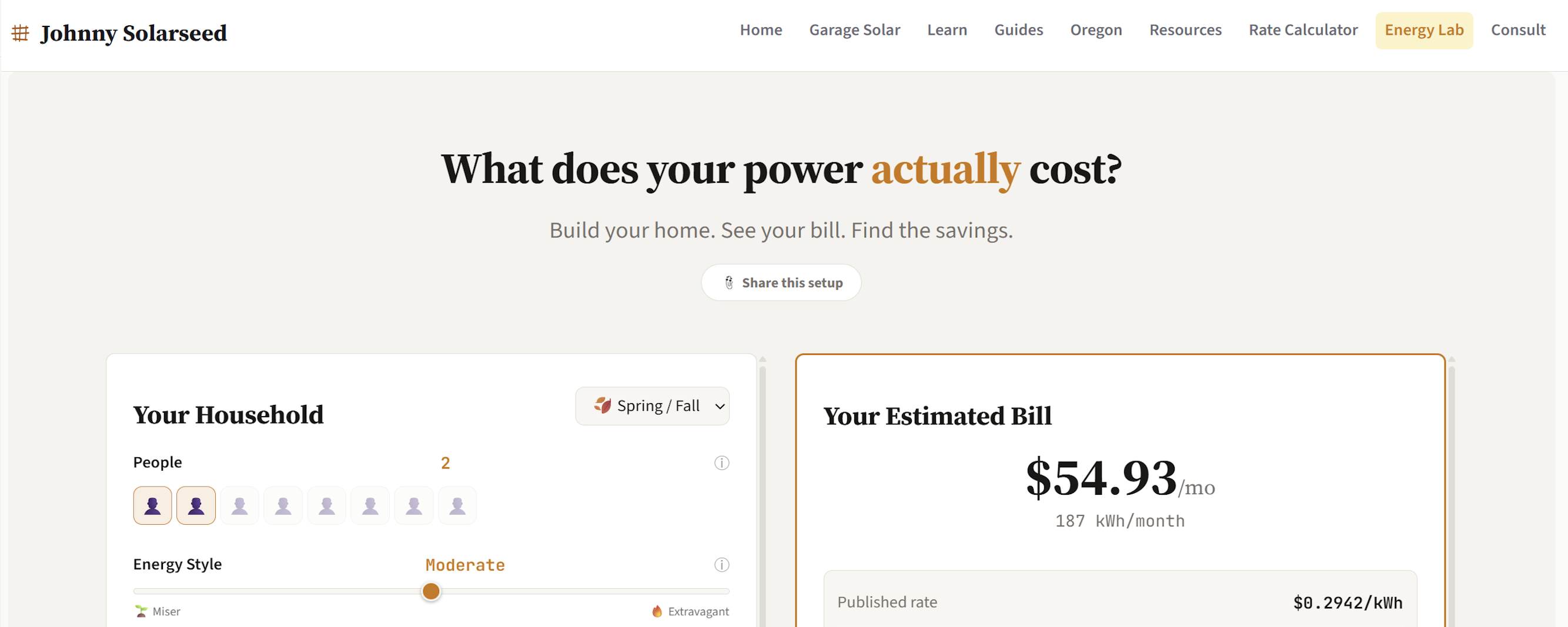
The Energy Lab. A virtual version of your house: toggle devices, slide usage, watch the real bill respond. It answers the question most homeowners can’t - what does running my dryer actually cost. Half-finished.
Two Home Assistant plugins, nineteen releases, refined through real Oregon weather. Peak Shaver pulls a solar forecast, simulates the day hour by hour from the battery’s current state of charge, and buys exactly enough cheap off-peak grid energy to carry the peak - not a kilowatt-hour more. TOU Metering makes the calculator’s rates live in Home Assistant as sensors and accumulators held across restarts.
They are not separate tools that share a name. The rate data feeds the energy model, the model sizes the overnight charge, and the charge runs on real batteries at two properties. Here is the whole loop:
What Made It Hard
Each piece is a different kind of problem, and they all have to feed each other cleanly: the calculator is a data problem, the Energy Lab a simulation problem, the Peak Shaver an optimization problem, the site a communication problem. The hardest is the peak-shave decision itself - locking in the right overnight buy at 3 AM, hours before the peak, with no chance to correct once the window opens.
The Throughline
Domain knowledge, systems thinking, and interactive tooling converging on one question: what does your energy actually cost, and how do you take control of it. The rate data powers the model, the model informs the strategy, the strategy runs on real hardware, and the results become the content that teaches the next person.
Status
Active on all fronts. Site content is comprehensive and growing, the Rate Calculator is live, the Energy Lab is a work-in-progress, and both plugins are actively maintained. Peak Shaver has been running continuously for a year and has resulted in reduced electricity bills of up to 50%.